
A little social media each hour. Your evenings back.
Trickle gives your favourite apps a few minutes that top up every hour. Check in, catch up, then get on with your day. No hard blocks, no all or nothing.
Free on Android. Trickle Pro adds extras if you want them.
Set it up once. Then forget about it.
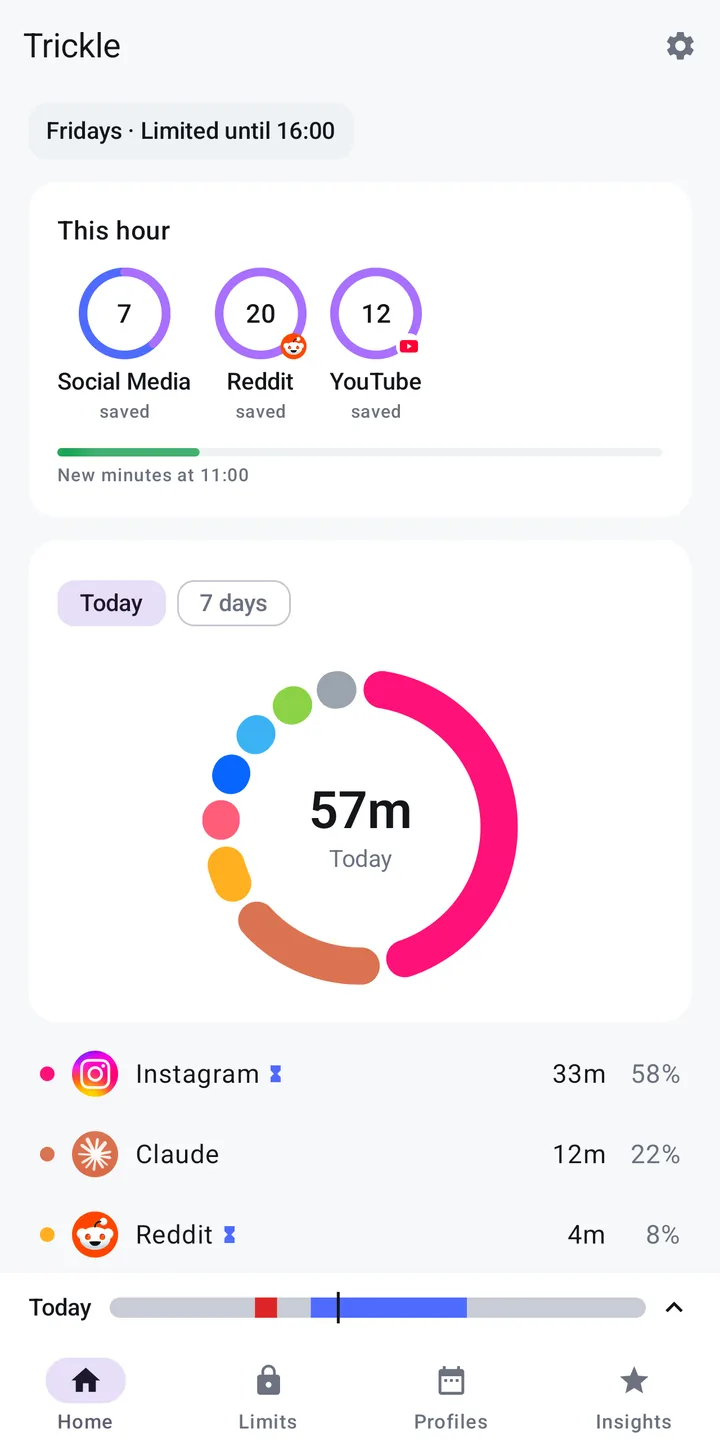
See where your time goes
One clear ring shows today's screen time and which apps take the most of it. Switch to the last 7 days for the bigger picture.
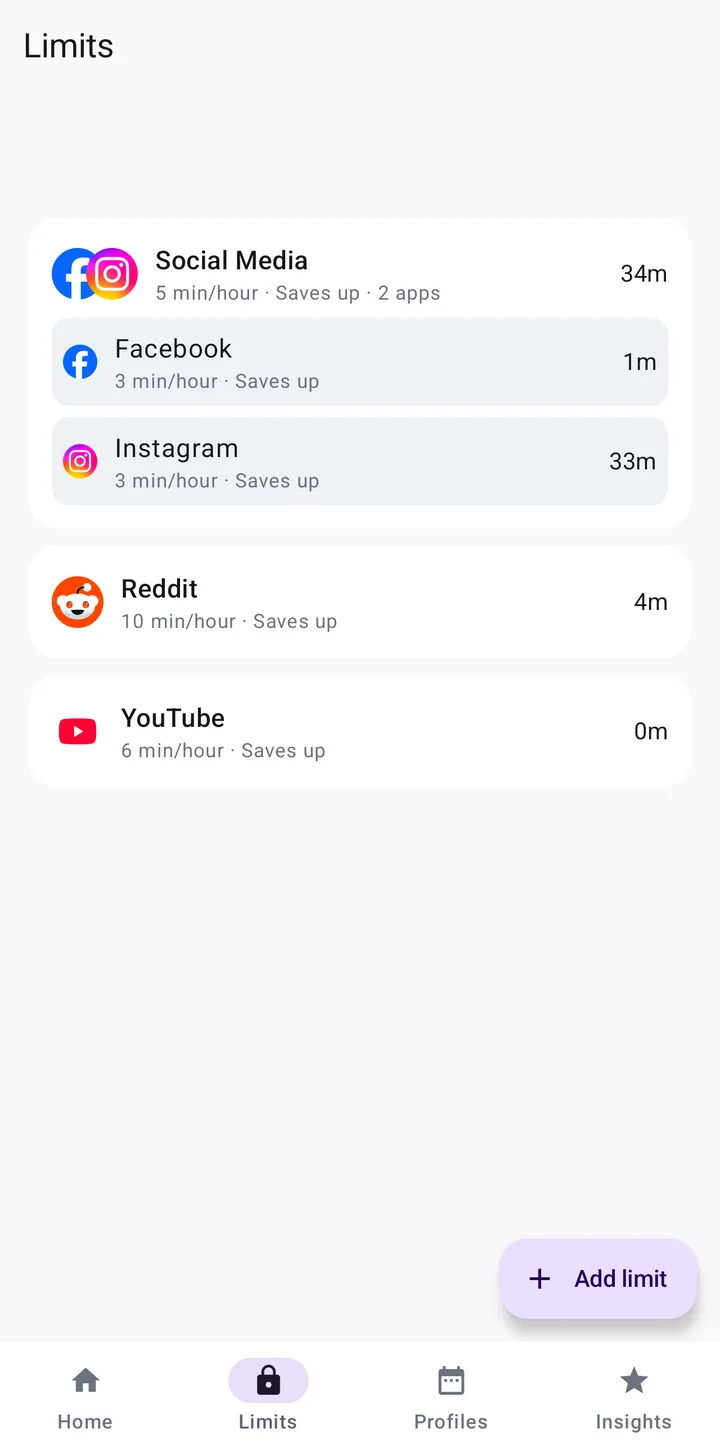
Choose your minutes per hour
Give each app a few minutes every hour, or group apps like Facebook and Instagram so they share one allowance.
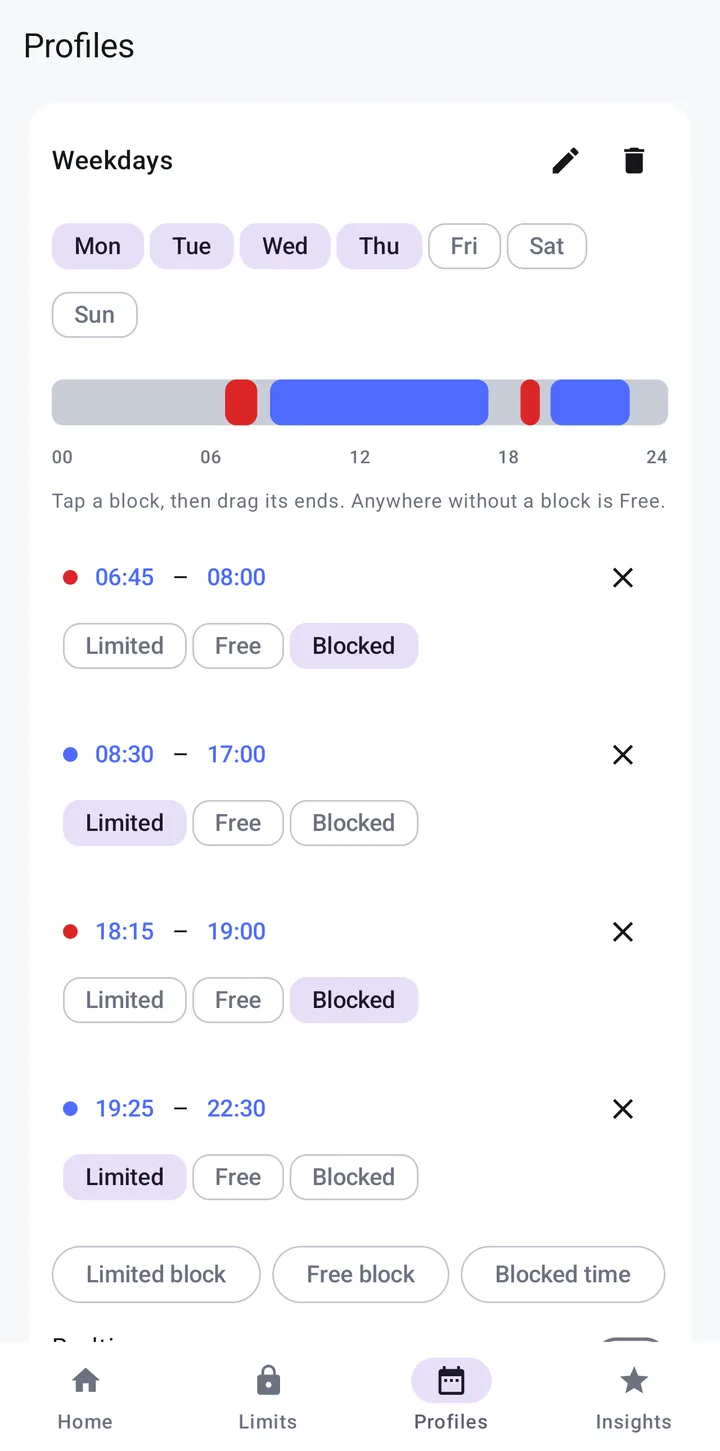
Plan your day in blocks
Mark parts of the day as Limited, Free or Blocked. Weekdays and weekends can look completely different.
Calm, clear and quick to use
Made for people who tried blockers and gave up
Hard blocks feel great for a day, then you switch them off. Trickle works because it still lets you in, just a little at a time.
Free for life. Go Pro if you want more.
Free
£0Forever, no trial, no card.
- Minutes per hour for any app
- Limited, free and blocked times
- Today and 7 day usage
Trickle Pro
Price at launchMonthly. Cancel any time in Google Play.
- Everything in Free
- Group apps to share one allowance
- New Pro features as they arrive
Pro for life
Price at launchPay once. Keep Pro for good.
- Everything in Trickle Pro
- No monthly payments
- Supports an indie developer
Your phone habits stay on your phone
Trickle reads how long you spend in each app so it can count your minutes. That data stays on your device. No account, no tracking, nothing sold.
Why Trickle asks for Accessibility access. Android only lets an app pause another app through this setting. Trickle uses it for one thing: resting an app when its minutes run out. It does not read your screen, messages or passwords.
Questions
What happens when my minutes run out?
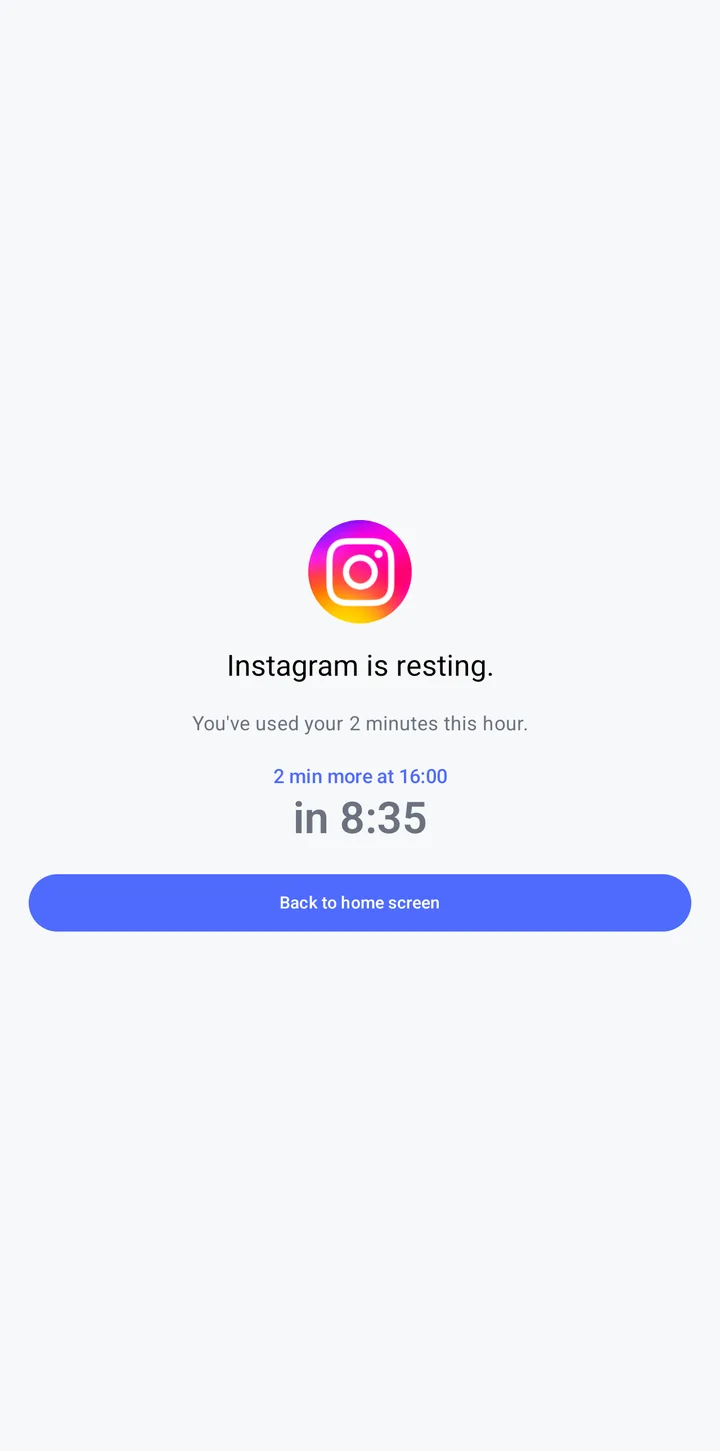
The app rests. Trickle shows a calm screen with a countdown to your next minutes, and one button back to your home screen.
What if I don't use my minutes?
Turn on saving and unused minutes build up for later, up to a limit you set.
Can I block an app completely at certain times?
Yes. Mark any part of the day as Blocked, like the school run or dinner time, and those apps stay closed until it ends.
Is the free version really free?
Yes. Hourly minutes, your day plan and your usage breakdown are free for life.
Is there an iPhone version?
Not yet. Trickle is Android only for now.
Who makes Trickle?
Trickle is made by Surfon, a one-person studio in North Devon. Read the story.
Trickle is nearly here
Leave your email and you will get one message when it is live on Google Play.